
Waiving Fee
An applied fee cannot be deleted. It can instead be waived or adjusted, subject to the applicable validation rules. A waiver clears the remaining unpaid charge amount. An adjustment allows a specified partial or full amount. The original charge remains recorded, and the system records a separate waiver or adjustment transaction and updates the loan balance and repayment schedule.
You can waive a full fee amount or adjust a partial amount:
- Waive: Clears the full remaining unpaid amount of the charge, or the selected installment's charge.
- Adjust: Accepts a specified positive amount, allowing a partial or full adjustment within the remaining adjustable amount.
II. How to Waive a Fee
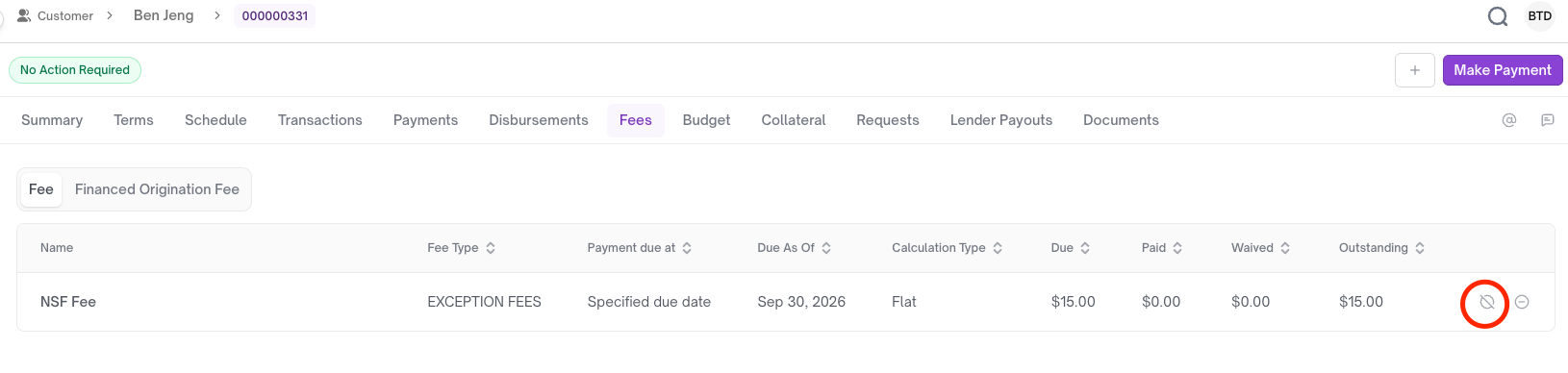
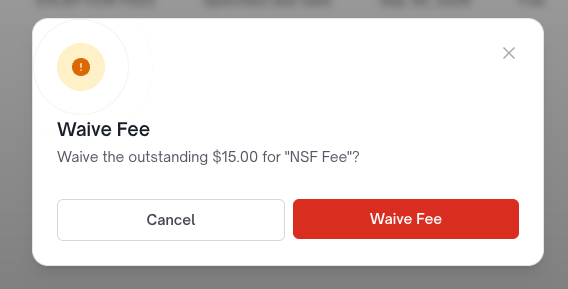
After the fee is waived, a waiver transaction is recorded:
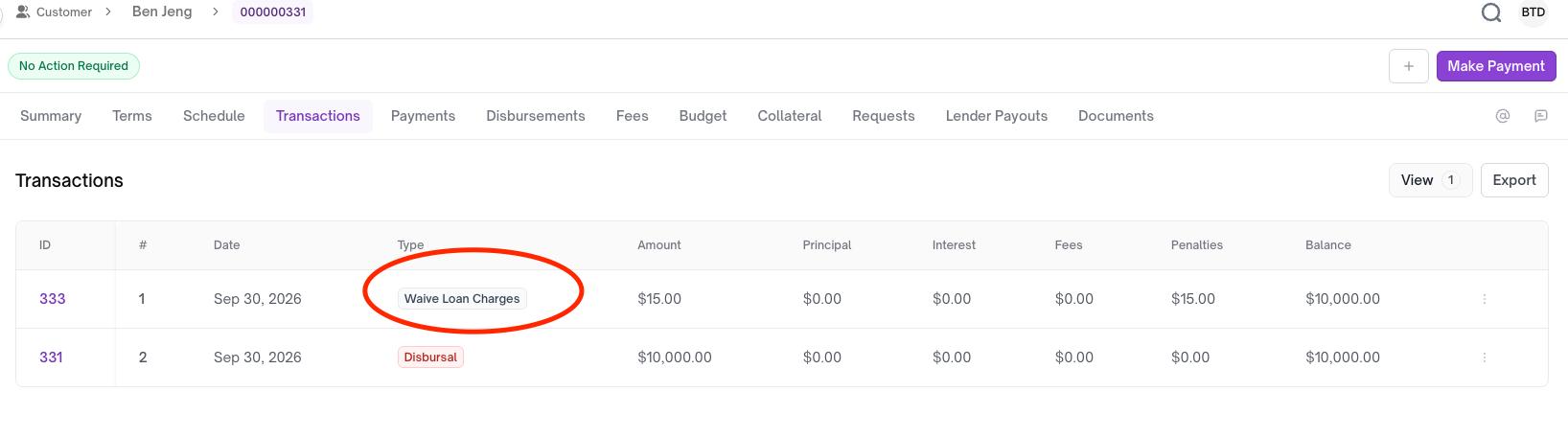
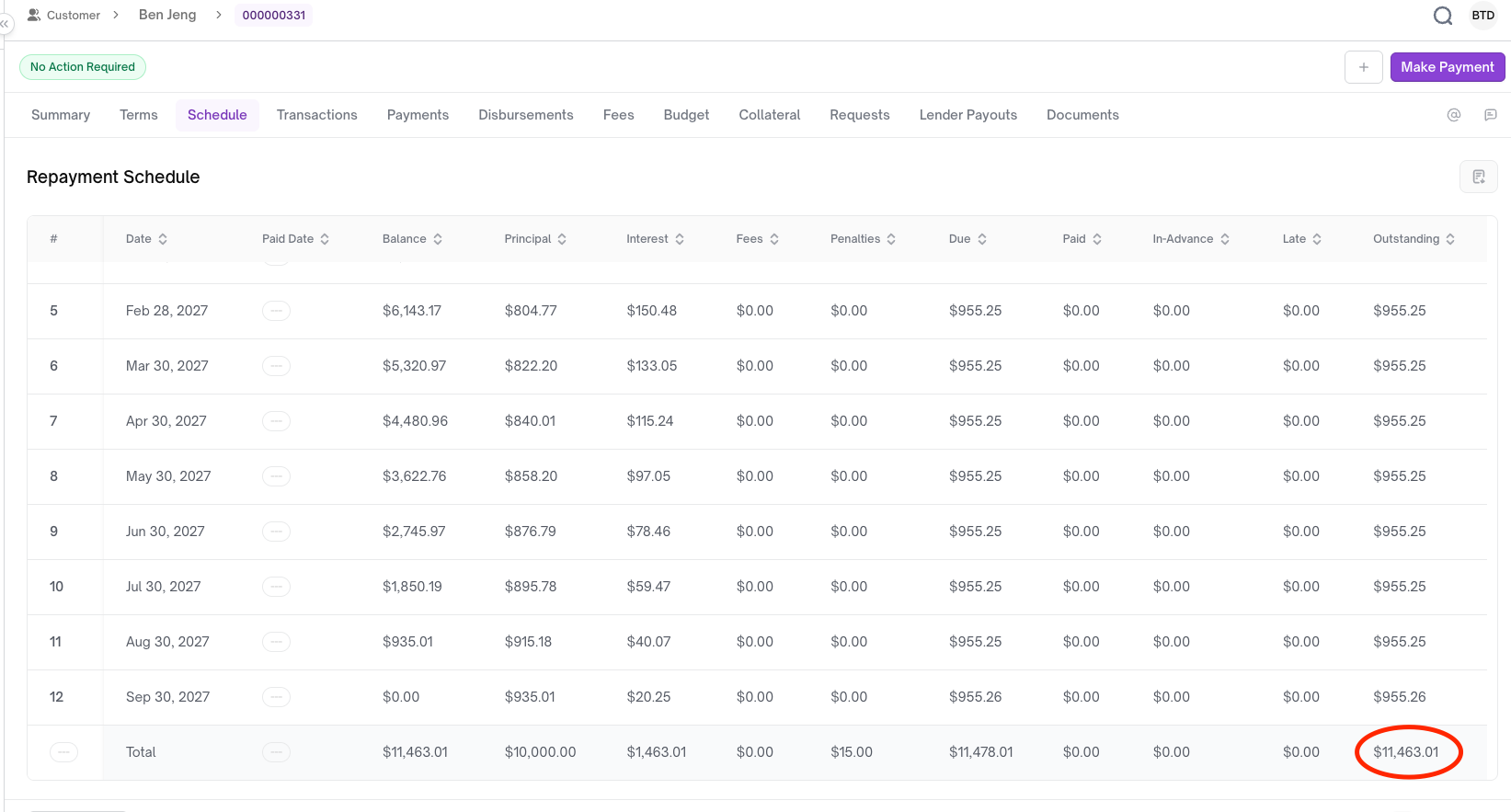
- The original amount before the fee was applied: $11,463.01
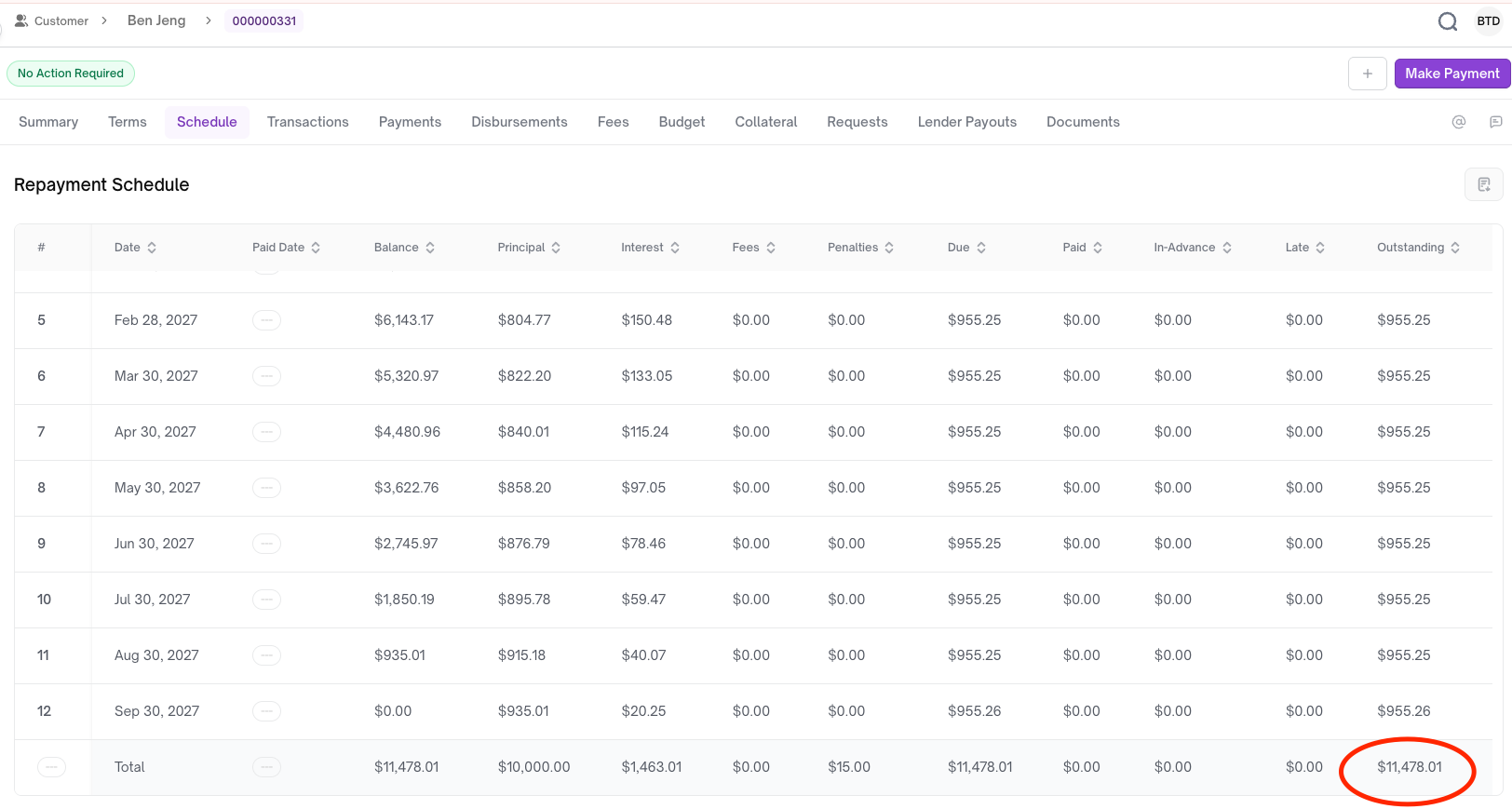
- After the fee was applied: $11,478.01 (+$15)
- After the fee was waived: $11,463.01 (waived $15)
III. Undo a Fee Waiver
Agents can change their mind and decide not to waive the fee, even after the waiver has been processed.
You can apply an undo transaction:
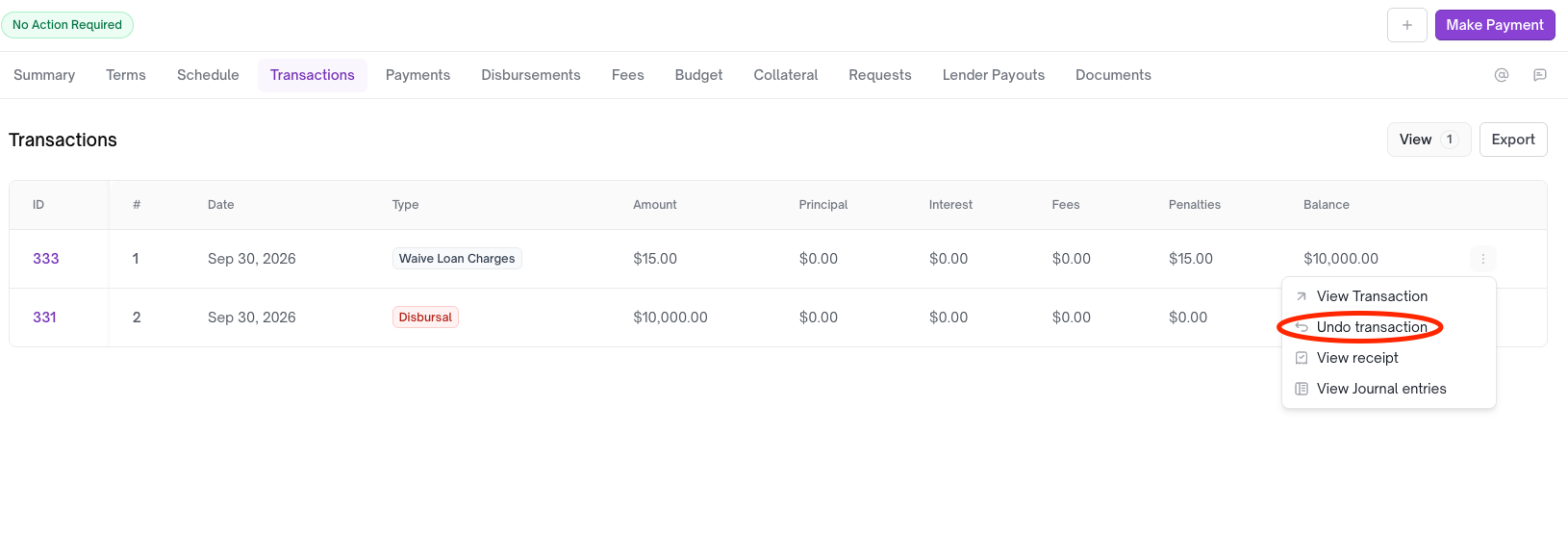
After successfully undoing the waiver, the agent will not be able to undo the same waiver transaction again.
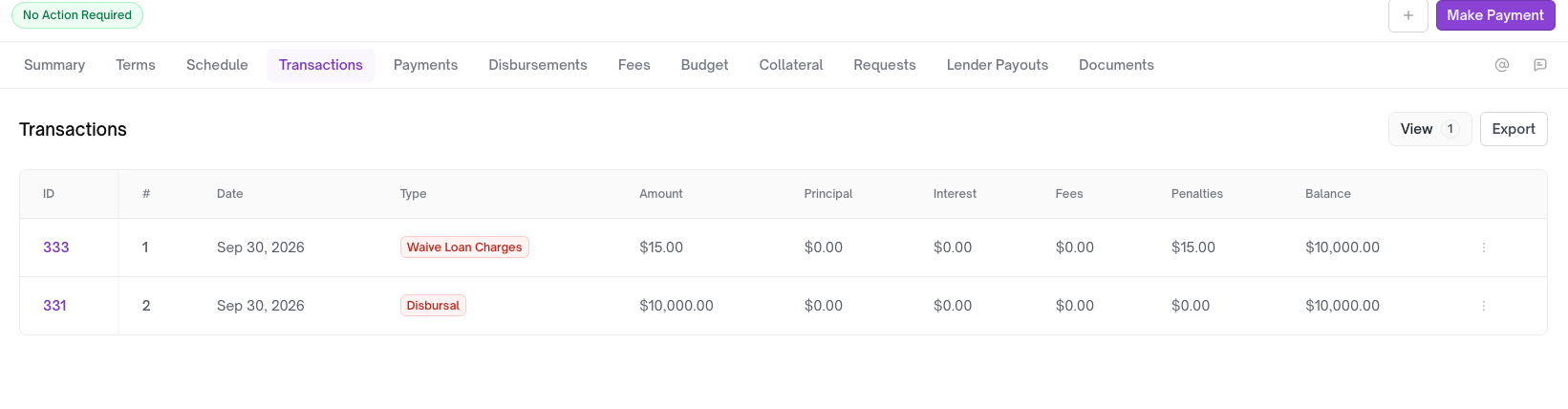
After undoing the fee waiver, the total outstanding amount increases again to $11,478.01 (+$15):
If you want to waive the fee again, please refer to How to Waive a Fee. Do not attempt to undo the undo transaction.
Updated 21 days ago